
Your Guild Creation Guide
How to Create Your Guild
Start with one eligible Epic Hero, create your guild through Catena, and complete the founding lineup together. Follow the steps from wallet preparation to your first members.
Adventurers,
One Epic Hero starts your guild. Your community completes its founding lineup.
You can create a Forming guild by binding one eligible Epic Hero. The full founding set—1 Epic, 3 Rare, and 4 Uncommon Heroes—is completed afterward through member contributions. Once all eight bindings are confirmed, your guild becomes Established.
The step-by-step screenshots show the actual application interface with simulated example data. No wallet was connected and no transactions were signed or submitted to create these examples.
1. Get your wallet ready
- Use Catena Wallet on OP_CAT Mainnet.
- Own an eligible Epic Hero backed by at least 4 Epic base NFT parts. Bonus parts do not count, and Resonance does not replace this requirement.
- Your wallet must have no current guild membership, active membership cooldown, or unfinished guild creation.
- Keep enough spendable funds in that wallet for the transaction fees shown by Catena.
Guild capacity is limited to 400 total slots. Check the current availability on the creation page before starting.
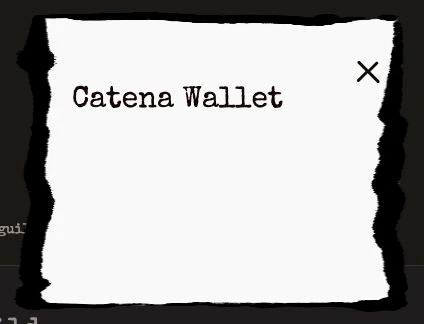
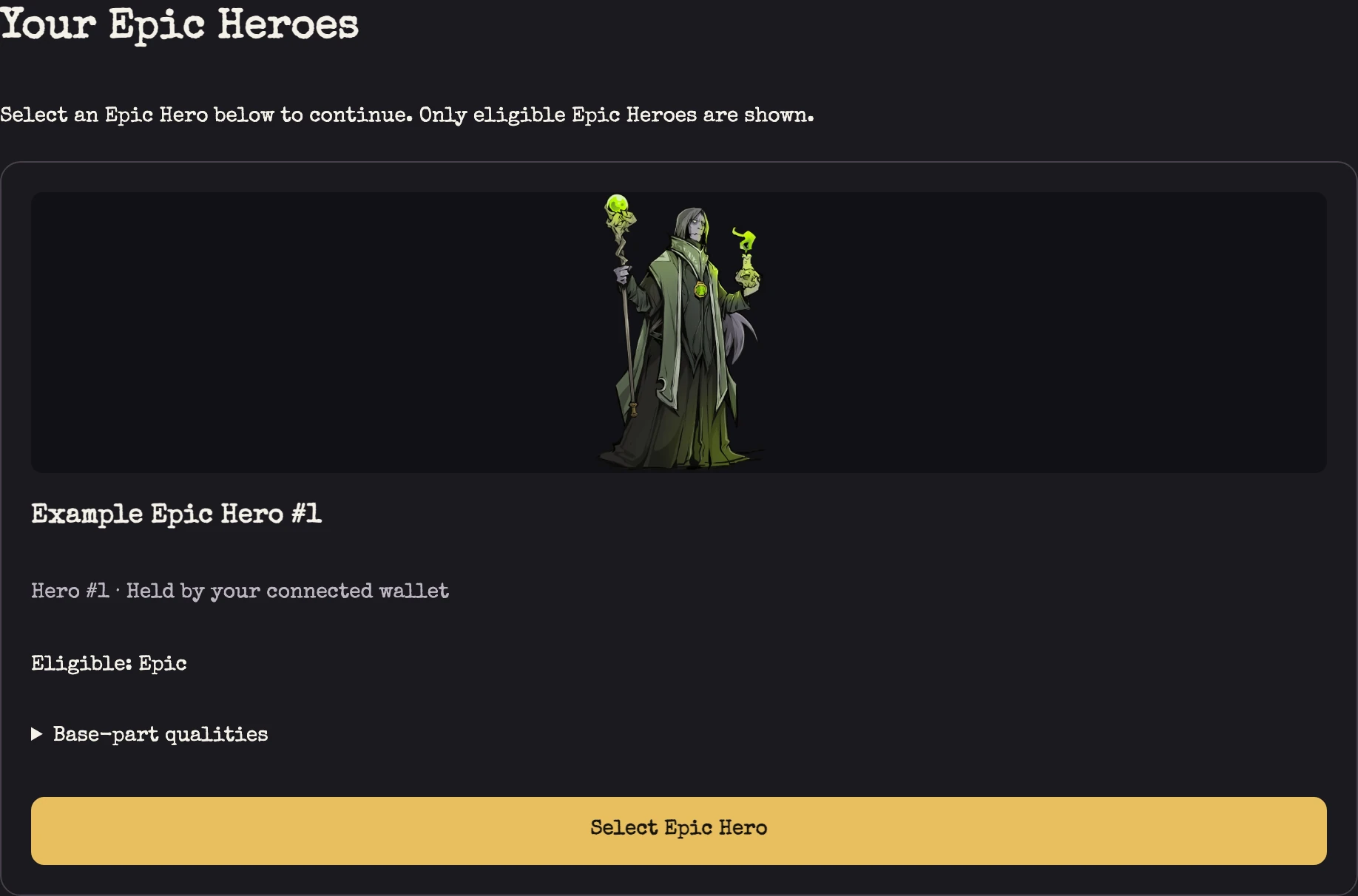
2. Choose your founding Epic Hero
Open Create a Guild on the official website and connect your Catena wallet. Select Find my Epic Heroes, then choose an eligible Hero with Select Epic Hero.
If your Hero is listed on a marketplace, return it to your wallet before trying again. You only need the founding Epic Hero at this stage.
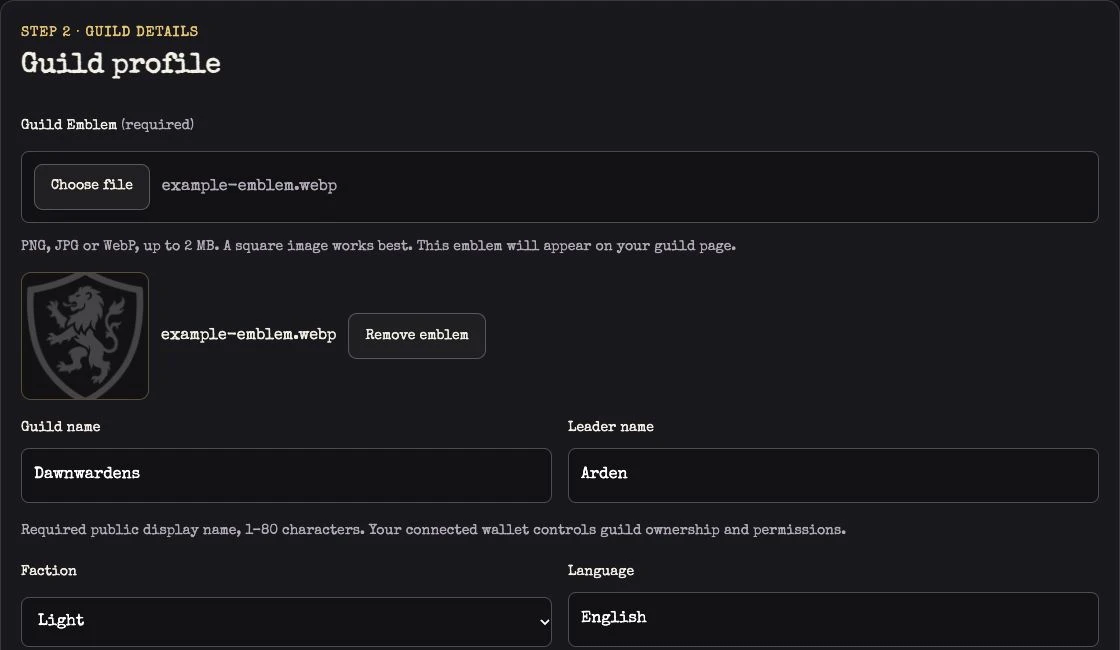
3. Give your guild an identity
Complete the Guild profile:
- Guild Emblem: upload a PNG, JPG, or WebP image up to 2 MB. A square image is recommended.
- Guild name: enter a name between 2 and 80 characters.
- Leader name: enter your public leader display name.
- Faction and Language: choose Light or Dark and your guild's language.
You may also add community links, an About your guild introduction, and a Recruitment message to help future members get to know you.
4. Review before you bind
Select Review guild creation. Check your guild details, selected Epic Hero, fixed original owner, and custody terms, then tick the review confirmation. If the review expires, select Refresh review before continuing.
Binding places the Hero in guild custody. Its holder cannot withdraw, transfer, sell, or replace it. A retained Hero binding also prevents that wallet from leaving or switching guilds. Guild leaders and members cannot dissolve the guild.
Read these terms carefully before proceeding to the wallet approvals.
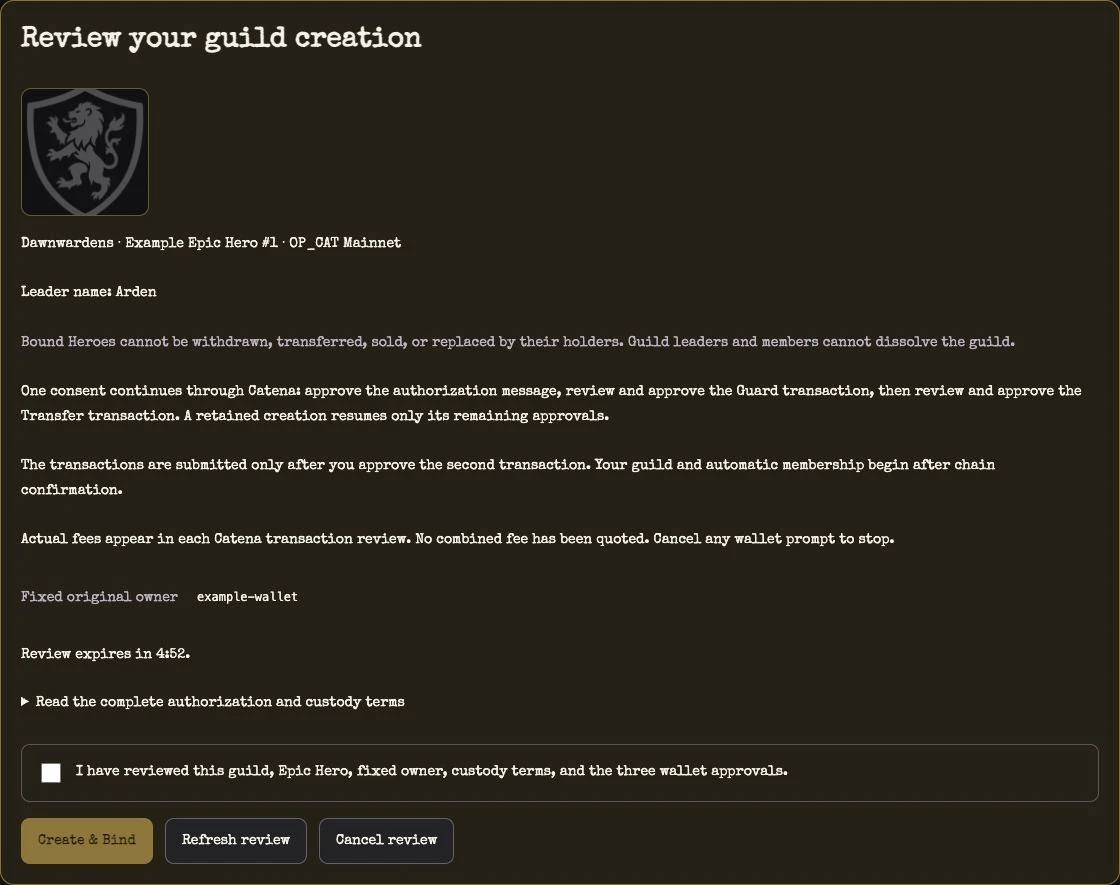
5. Complete the three wallet approvals
Select Create & Bind and complete the Catena prompts in order:
- Sign the authorization message.
- Review and approve the Guard transaction.
- Review and approve the Transfer transaction.
The actual transaction fees appear in the wallet reviews. Both transactions are submitted after the Transfer transaction approval. Approving the prompts does not mean your guild is already confirmed.
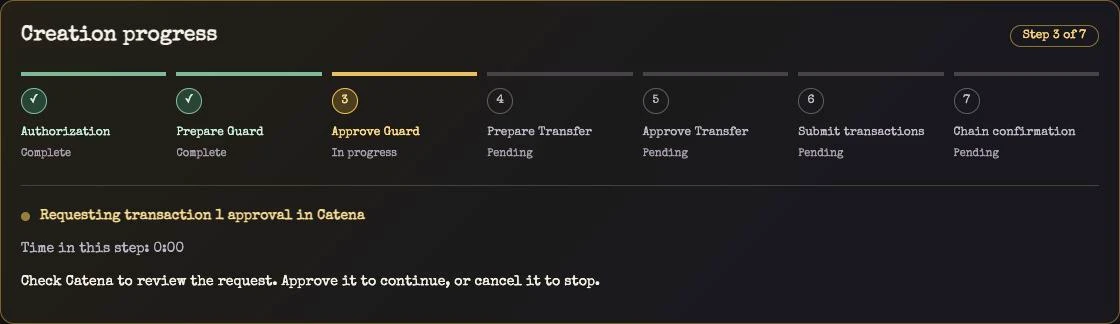
6. Wait for confirmation
Keep the creation page open while the Epic binding receives a block confirmation and the site verifies the result. When Guild created appears, select Open your guild.
If transactions have been submitted or submission is still being checked, do not sign again. Use Refresh chain statusand follow the page's recovery instructions. Save the creation page URL so you can return to the same creation with the same wallet.
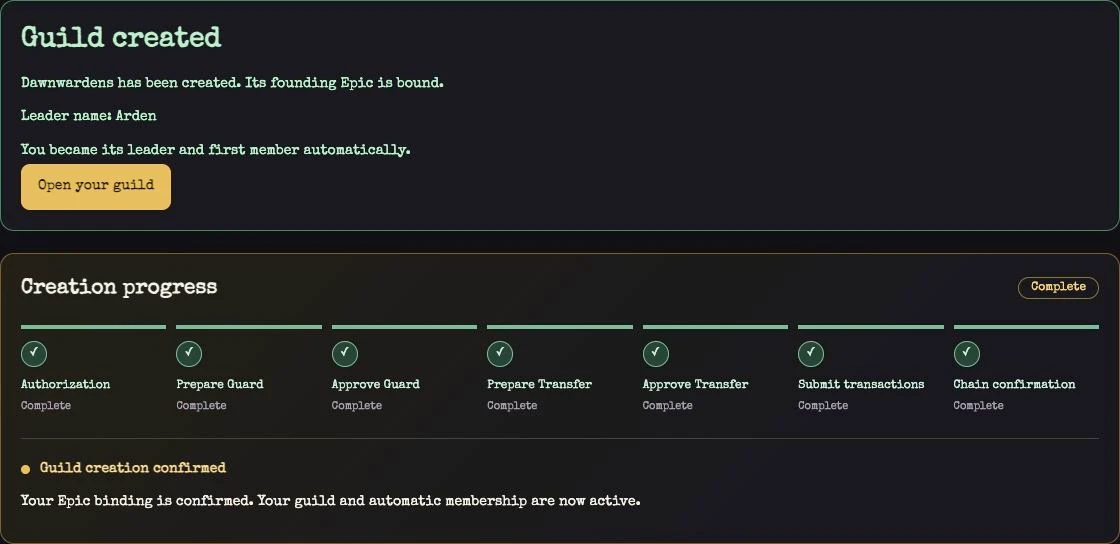
7. Welcome members and complete the lineup
You automatically become your guild's leader and first member. Your guild starts as Forming; members can then contribute eligible Heroes to fill the remaining 3 Rare and 4 Uncommon positions. All eight confirmed bindings complete the founding set and make the guild Established.
Joining as an ordinary member does not require a Hero. One wallet may contribute multiple distinct Heroes; the founding lineup does not require eight separate owners. Every contribution is subject to the binding terms described above.
To manage your guild, select Manage Guild on its page, then Authorize wallet and sign the authorization message.
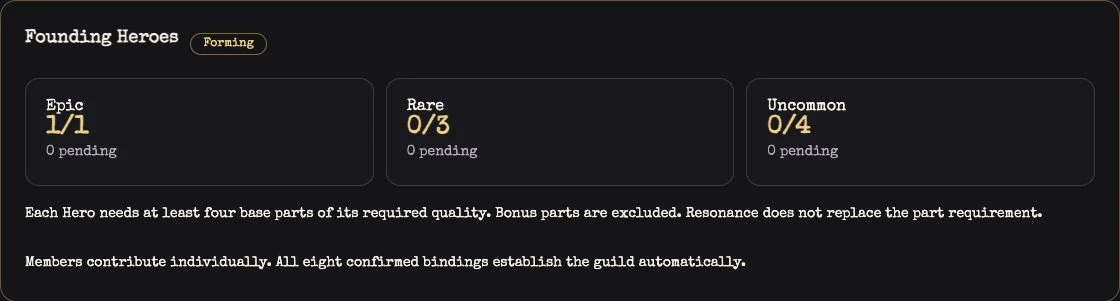
Choose your founding Hero. Raise your banner. Build your guild together.
— Dungeon Saga Team